
Pregnant Guide - Baby Tracker
SVVN-RUParenting
2.61.00 Reviews
- Version
- 1.0.7
- Installs
- 100.00K
- Age Rating
- Everyone
Screenshots
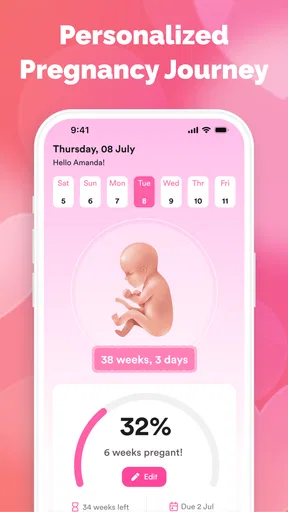
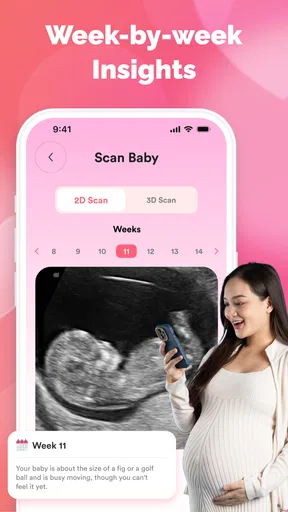
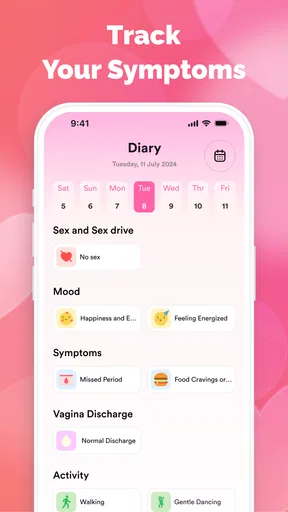
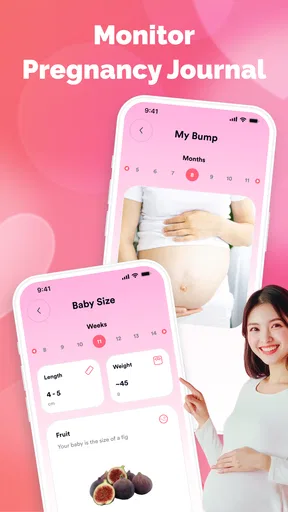
Our Review of Pregnant Guide - Baby Tracker
 Analysis by Appyee
When I first opened Pregnant Guide - Baby Tracker, I treated it as a small planning tool rather than a complete pregnancy-care system. That distinction matters. The app is built around a simple starting point: you enter or use your pregnancy timing, then follow a week-by-week view of your baby’s growth while watching the due-date countdown. For someone who wants a quick reference on a phone, that is a sensible approach. For someone expecting detailed medical guidance, appointment management, or a full health diary, the experience feels much narrower.
My overall impression is mixed but useful. The app is free, aimed at everyone, and belongs clearly in the parenting category. It comes from SVVN-RU and has reached over one hundred thousand installs, so it is not an obscure experiment that nobody has tried. At the same time, its average rating is 2.6 from around one hundred sixty ratings, which is an important warning to keep in mind before relying on it as your only pregnancy companion. I would use it as a lightweight weekly reference, not as a replacement for a midwife, doctor, or a more established pregnancy platform.
Following a pregnancy from the first entry to the weekly result
I’d treat the first weekly result as a useful prompt, then compare it with the dates you already trust rather than letting one screen become the source of truth. That simple check makes the countdown easier to use calmly, especially when plans or clinical dates change. From there, the real question is how quickly the app can help you find that result during an ordinary, busy day.
Starting with the information you already have
The most realistic starting condition is simple: you are pregnant, you know an approximate date connected with the pregnancy, and you want an easy way to understand where you are in the journey. Many people do not need a complicated dashboard at that moment. They want to answer practical questions such as, “What week am I in?” “How far away is my due date?” and “What is generally happening with the baby now?” Pregnant Guide is designed around those questions.
The first useful habit is to enter the date carefully and then check whether the displayed week and due-date countdown make sense against the information given by your healthcare provider. A tracker can organize a timeline, but it does not independently establish the medically correct due date. If your clinician later changes that date, the app should be treated as a personal reference that needs updating rather than as the authority.
That small comparison is one of the most important workflows with this app. I would not simply open it, accept the first result, and forget about the original date. I would keep the clinic’s date in my appointment notes, compare it with the app’s result, and use the tracker for convenient day-to-day orientation. This avoids a common mistake: allowing a countdown to look precise while the underlying date is only an estimate.
Moving through the week-by-week view
Once the starting information is in place, the main experience is following the pregnancy week by week. The appeal is that the timeline turns a long, sometimes overwhelming period into smaller checkpoints. Instead of thinking about the entire pregnancy at once, I can open the current week and focus on what is relevant now. That makes the app approachable for a first-time parent who wants a calm overview without searching the web every time a new week begins.
The baby-growth angle also gives the timeline a more personal feeling than a bare countdown. A countdown alone tells me when an event is expected; a growth tracker gives me a reason to check in. I can use it during a quiet moment, discuss the current stage with my partner, or look at it before an appointment so I have a basic sense of where the pregnancy sits in the broader timeline.
There is a useful trade-off here. A focused design can be easier to understand than an app crowded with nutrition plans, exercise programs, community feeds, shopping tools, and medical articles. Pregnant Guide does not need to compete with every possible pregnancy feature to be useful. Its value is strongest when I want a quick weekly destination rather than a large information hub.
A practical routine for everyday use
Imagine a user who has just reached a new pregnancy week. On a busy morning, she opens the app, checks the current week, reads the baby-growth information, and looks at the due-date countdown. Later, she tells her partner what the app shows and writes down a question for the next appointment. The app has done its job in that scenario: it has helped turn a vague sense of time passing into a concrete conversation and a small planning step.
I would make that routine more reliable by using the app at a fixed moment, such as the same day each week, rather than repeatedly checking it throughout the day. That prevents the countdown from becoming a source of unnecessary anxiety and makes the weekly information easier to remember. I would also save questions separately, because a tracker should not be assumed to replace a proper appointment notebook or medical record.
Another non-obvious use is preparing for handoffs between people. If a partner, relative, or trusted friend asks how the pregnancy is progressing, the current week and countdown provide a shared starting point. The person using the app can show the relevant screen instead of explaining the timeline from memory. That is especially handy when different people use different ways of counting weeks.
What the handoff can and cannot accomplish
The first handoff is from the user to the app: a personal date becomes a visible timeline. The second is from the app to the user: the timeline becomes a weekly explanation and a countdown. The third is from the user to other people, such as a partner or clinician, when the information is discussed outside the app. Thinking about these handoffs helps reveal the app’s proper role.
Pregnant Guide is good at presenting a personal timeline in a form that is easy to revisit. It is less suitable as a shared medical workspace. I would not expect it to coordinate appointments, send a structured report to a clinic, or replace records kept by healthcare professionals. If your pregnancy involves frequent changes, special monitoring, or detailed symptom tracking, the handoff from app to medical care needs to happen through your normal healthcare process, not through assumptions about what a simple tracker can communicate.
There is also a communication benefit for people who feel uncomfortable asking the same basic question repeatedly. A weekly tracker can offer a neutral prompt for discussion: “This is the stage I’m at; what should I ask about?” That does not make the app medically authoritative, but it can help a user arrive at an appointment better prepared. In my view, that is a more responsible use than treating the weekly content as a diagnosis or personal instruction.
What the result feels like in practice
The result is a compact snapshot of progress. The week-by-week growth information gives context, while the due-date counter gives the journey a visible endpoint. Together, those two elements make the app more useful than a generic calendar reminder. I can open it when I need orientation, understand the current stage quickly, and close it without navigating through a maze of unrelated content.
That simplicity will appeal to users who dislike feature-heavy apps. The app is free, so there is no purchase decision standing between a curious user and the basic experience. It is also marked for everyone, which makes the audience broad rather than restricted to a narrow age group. The current version is 1.0.7, and the minimum operating system is Android 7.0, making it accessible to people using older Android devices as well as newer ones.
Still, a simple result is not automatically a complete result. After checking the current week, I may still need another app or a notebook for symptoms, appointments, medication reminders, movement notes, questions for the doctor, or preparation tasks. That is not necessarily a flaw if I understand the product’s boundaries. It becomes frustrating only when I expect the single timeline to manage every part of pregnancy.
Where the workflow starts to break
The biggest weakness is the gap between a reassuringly clear timeline and the complexity of real pregnancies. A countdown can look exact even though pregnancy dates are estimates and can be adjusted by a healthcare professional. Baby-growth descriptions can also be interesting without being individually predictive. I would be uncomfortable using the app to interpret pain, bleeding, reduced movement, test results, or any other urgent concern.
This is where the workflow should stop. If something feels medically worrying, the correct handoff is to a healthcare provider or emergency service, not to a week-by-week tracker. The app can help me remember where I am in the timeline, but it should not become a filter through which I decide whether a symptom matters. That limitation is fundamental, not something a future update would automatically solve.
The public reception also suggests that some users may encounter friction. With an average rating of 2.6 and only one written review shown alongside the ratings, I would approach the app with modest expectations. I would test the basic date flow early, confirm that the displayed week matches my own records, and avoid building an important personal system around it until I am satisfied that it behaves consistently on my device.
Another break occurs when a user wants depth. Someone comparing several pregnancy apps may find that alternatives with larger ecosystems offer richer educational libraries, appointment tools, symptom logs, community support, or more polished personalization. Those options can be better for users who want one central place for planning. The trade-off is that they may feel busier and demand more time, while Pregnant Guide keeps the central journey easier to see.
Who should choose this tracker
I would recommend trying it if your main needs are a due-date countdown and a straightforward week-by-week baby-growth reference. It suits a user who wants to check progress occasionally, share a simple update with a partner, and avoid an overloaded interface. It can also work as a secondary tool alongside a clinic’s records, especially when the user wants a fast visual reminder between appointments.
I would skip it as a primary choice if you expect detailed health tracking, reliable appointment organization, extensive preparation guidance, or a strong communication layer with medical professionals. I would also avoid depending on it if you are looking for personalized clinical interpretation. In those situations, a more comprehensive pregnancy app, a dedicated calendar and notes system, or direct guidance from a healthcare team would be a better fit.
For someone deciding whether the free price is enough reason to install it, my answer is no: free is convenient, but the real question is whether the narrow workflow matches your needs. Install it for the timeline, not because you expect a complete pregnancy-management suite. Give it a short trial, compare its dates with your trusted records, and keep another method for important medical information.
My final take after following the complete workflow
The best way to use Pregnant Guide is as a calm timeline companion, not as a medical decision-maker. Starting with a known date, checking the current week, reading the baby-growth overview, and using the countdown for everyday orientation is a coherent and easy workflow. The app’s focus is its main strength because it lets me reach the central information quickly.
Its limitations are just as clear. The low average rating makes me cautious about reliability and polish, the small scope may leave experienced users wanting more, and the timeline cannot account for every personal or medical circumstance. I would keep my healthcare provider’s dates and advice above the app’s display, use a separate place for questions and appointments, and treat the weekly content as general context.
In that role, this parenting app can be worthwhile for Android users who want a free, uncomplicated pregnancy tracker. It is not the option I would choose for a full pregnancy-management experience, but it can earn a place beside one. If you approach it with that realistic expectation, its week-by-week view and due-date countdown provide a practical result without asking you to turn pregnancy into a complicated data-entry project.
Verdict
Strengths of Pregnant Guide - Baby Tracker
- Clear week-by-week pregnancy information is easy to browse.
- Baby growth updates make each stage feel more personal.
- Useful checklists help organize appointments and preparations.
- Simple interface suits users who prefer straightforward tracking.
- Helpful reminders can support regular pregnancy planning.
Limitations of Pregnant Guide - Baby Tracker
- Some features may require a premium subscription.
- Medical information should not replace advice from a healthcare professional.
- Content depth may vary across different pregnancy topics.
- Notifications could feel repetitive during frequent use.
- Limited customization may not suit every pregnancy routine.
Similar Picks in This Category
View All
Family Space
Motorola Mobility LLC.3.9

شرطة الأطفال - مكالمة وهمية
Oub Apps4.1

Findmykids: Parental Control
LETEM LTD4.6

Pregnancy + | Tracker App
Philips Electronics UK Limited4.8

Policía de niños - para padres
Kids police4.7

Pregnancy App
Amila4.9
Frequently Asked Questions
What is Pregnant Guide - Baby Tracker used for?
Pregnant Guide - Baby Tracker is designed to help expectant parents follow pregnancy progress from the early weeks through delivery. It may provide week-by-week information about fetal development, pregnancy milestones, appointment reminders, symptom notes, weight tracking, and preparation tips. The app is best viewed as an organizational and educational companion rather than a replacement for personalized advice from an obstetrician or midwife.
How accurate are the pregnancy week and due-date calculations?
The app generally estimates pregnancy progress and the expected delivery date using the first day of your last menstrual period or another date entered during setup. These calculations are useful for general tracking, but they are not medical diagnoses and may differ from dates confirmed by an ultrasound or healthcare professional. Users with irregular cycles, uncertain dates, or fertility-treatment pregnancies should verify the information with their doctor.
Can Pregnant Guide - Baby Tracker replace visits to a doctor or midwife?
No. Although the app can make pregnancy information easier to understand and help you organize symptoms, appointments, and questions, it cannot examine you, interpret test results, identify complications, or provide emergency care. Concerning symptoms such as severe pain, heavy bleeding, reduced fetal movement, breathing difficulties, or other urgent changes should be discussed promptly with a qualified healthcare professional or emergency service.
What information does the app ask users to enter, and is it private?
Depending on the available features, Pregnant Guide - Baby Tracker may request details such as the last menstrual period, due date, pregnancy stage, symptoms, weight, appointments, or personal notes. Before entering sensitive health information, review the app’s privacy policy, permissions, account requirements, data-sharing practices, and deletion options. Avoid adding information you are uncomfortable storing in a third-party application.
Is Pregnant Guide - Baby Tracker free, and does it work on every device?
The download may be free while some features, content, or an ad-free experience could require in-app purchases or a subscription, depending on the version and platform. Check the Google Play Store or Apple App Store listing for current pricing, supported operating-system versions, and device requirements. Availability, features, and subscription terms can change, so confirm these details before downloading or starting a trial.
